Why LinkedIn Content is the Ultimate B2B Growth Engine
In 2026, LinkedIn remains the single highest-ROI platform for B2B founders, consultants, and agencies. But the platform demands two things: High-value insights and relentless consistency.
Most professionals fail at the second. The "Blank Page Syndrome" hits hard on Tuesday mornings. This is where automating your LinkedIn workflow with Claude changes the game.
What the Claude + High Story Setup Unlocks
Forget spammy automation tools that send 100 fake connection requests a day (and get your account banned). True automation is about content production.
By connecting Claude to High Story MCP, you create a closed-loop system:
- You drop a brain-dump (a raw idea) into Claude.
- Claude formats it into a high-converting LinkedIn post.
- High Story generates a professional, branded image to accompany it.
- Claude schedules it via LinkedIn's official, safe API.
Step-by-Step: Automate Your LinkedIn Workflow
Step 1: Install High Story MCP Run `npx highstory-mcp setup` in your terminal to connect Claude Desktop to your High Story account.
Step 2: Set Your Context Before asking for a post, give Claude your "Voice Brief". Example: "I am a B2B SaaS founder. My tone is direct, data-driven, and slightly contrarian. I never use emojis or corporate jargon."
Step 3: Run the Campaign Prompt Don't write one post at a time. Ask Claude: "Take this pricing strategy framework I just wrote. Turn it into 3 separate LinkedIn posts. Generate a minimalist, data-focused image for each using High Story. Schedule them for Monday, Wednesday, and Friday."
Step 4: Review and Regenerate Claude will output the drafts. If a hook is weak, tell it: "Make the first line of Post #2 more aggressive." If the image is off, say: "Regenerate the image for Post #1 to be dark-mode."
What to Keep 'Human' in Your LinkedIn Strategy
While AI can handle 90% of the production and scheduling, you must remain human in the comments section. Spend the 3 hours you just saved on content creation replying to comments, engaging with industry peers, and building genuine relationships in your DMs. AI brings the audience; you close the deal.
Can Claude write and post LinkedIn content automatically?
With High Story MCP installed, yes. You prompt Claude in Claude Desktop, it generates copy and imagery through High Story, and can publish directly. You stay in control of what gets published.
Is AI-generated LinkedIn content penalized by the algorithm?
LinkedIn does not penalize AI-assisted content. Posts that generate genuine engagement (comments, shares, reactions) perform well regardless of whether they were AI-assisted. Quality and relevance matter more than origin.
How do I give Claude my brand voice for LinkedIn?
Include a brief brand voice description in your High Story settings or in your Claude system prompt. For example: 'Write in a direct, first-person tone. No corporate jargon. Short paragraphs. End with a question.'
What's the difference between LinkedIn automation and AI content creation?
Automation tools (like Phantombuster) simulate human activity on LinkedIn and risk account bans. AI content creation with High Story generates the content — publishing goes through official LinkedIn APIs via High Story's platform, which is policy-compliant.
A month of social media posts, ready to publish, in 2 minutes
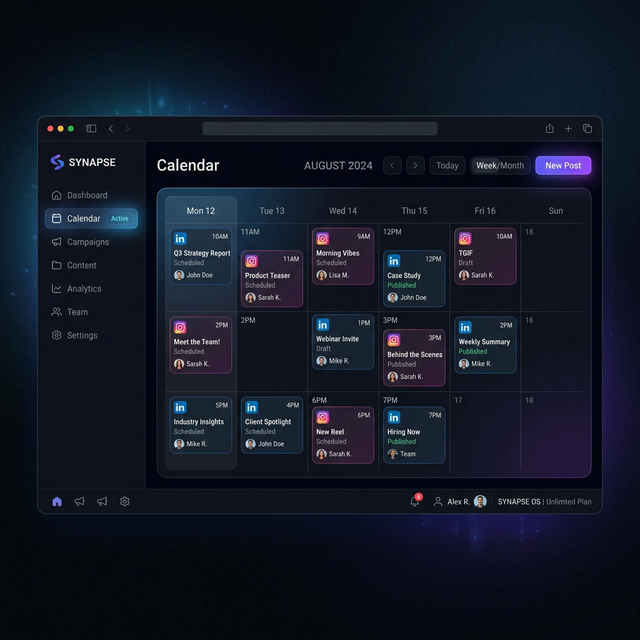
HighStory reads your website and generates your Instagram, LinkedIn and Facebook posts with visuals, captions and a calendar. You approve, it publishes.