Why Most Content Calendars Fail
Content calendars usually fail because of the massive gap between planning and execution. Marketing teams spend days in spreadsheets mapping out themes, holidays, and campaign arcs, only to abandon the calendar by week two because they don't have the time to actually write the copy and design the assets.
To solve this in 2026, you need an "AI-First" workflow that merges planning and production into a single, seamless process.
The 60-Minute Workflow
With Claude Desktop and the High Story MCP, you can build, generate, and schedule a 30-day content calendar in under an hour. Here is the exact breakdown:
Minutes 1-15: The Master Brief
The quality of your output depends entirely on your input. Spend your first 15 minutes writing a comprehensive prompt that includes your target audience, content pillars (e.g., 40% educational, 40% product updates, 20% culture), brand voice, and specific goals for the month.Minutes 15-20: Strategy Generation
Feed your brief to Claude: "Based on this brief, generate a 30-day content calendar with specific post ideas, formats, and optimal platforms for each day." Claude will output a structured plan instantly.Minutes 20-45: Expansion and Asset Creation
Once you approve the strategy, tell Claude: "Execute this calendar using High Story MCP. Write the full copy for all 30 posts, generate accompanying on-brand visuals for each, and push them to my High Story scheduling queue spread across the month."Minutes 45-60: Human Review
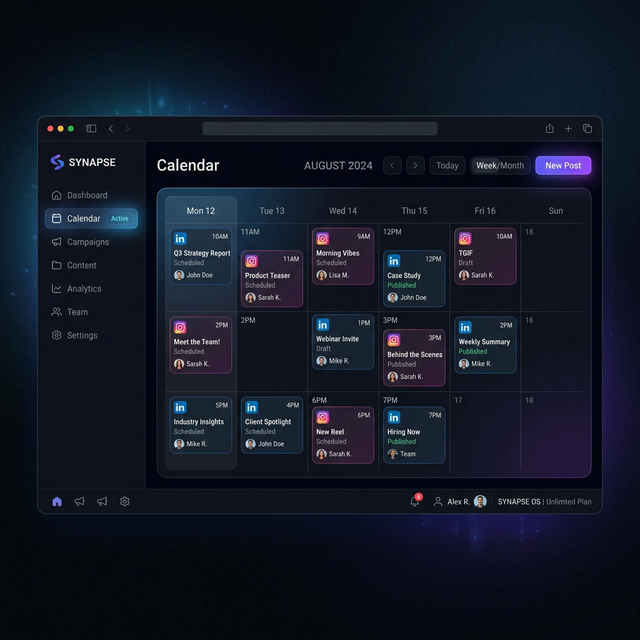
The final 15 minutes are strictly for review. Open your High Story dashboard, quickly scan the queued posts, tweak any phrasing that feels slightly off, and approve the batch. You have just completed a month's worth of work before your morning coffee gets cold.Can AI create a social media content calendar?
Yes. With Claude and High Story MCP, you can prompt Claude to generate a full monthly content plan — themes, post copy, image briefs, and platform-specific formats — and push it directly to your content queue.
How long does it take to build a content calendar with AI?
First-time setup (writing your brand brief, configuring High Story) takes about 30 minutes. Once set up, generating a full month of content takes under an hour — mostly review time, not production time.
Is an AI content calendar as good as one made manually?
For companies with well-documented brand voice and audience profiles, AI-generated calendars match or exceed manually built ones for consistency. Strategic pivots (new product launch, crisis response) still benefit from human judgment.
What information does Claude need to build a content calendar?
Minimum viable brief: your product/service, target audience, content goals (awareness/leads/engagement), tone of voice, and posting frequency. More context produces better output.
A month of social media posts, ready to publish, in 2 minutes
HighStory reads your website and generates your Instagram, LinkedIn and Facebook posts with visuals, captions and a calendar. You approve, it publishes.